
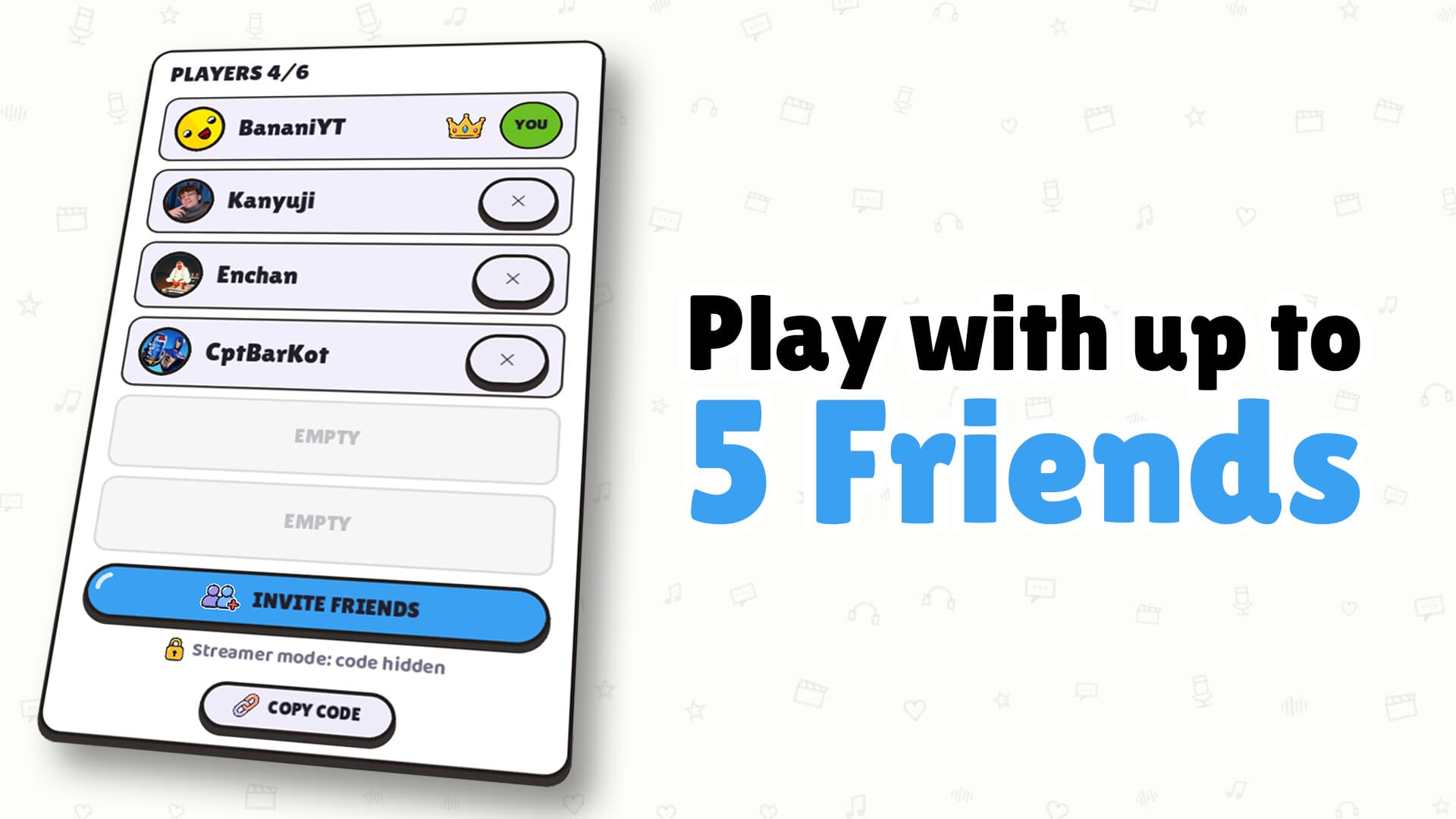
Dub Together online supports up to six players who join through Steam friends or a lobby code. The September 15 update also adds direct Discord invitations, including when a friend has not opened the game yet. Your group chooses Parallel for separate performances and voting, or Character for one scene with assigned roles. The host coordinates rewatching and moving between versions, while missing round packs download automatically when a round starts.
Use a documented invitation route
The Steam friends list and a lobby code are the two joining routes named in the official game description. Use the route that makes sense for the people already in your group, and share the actual session information with the intended participants. A lobby code belongs to that joining process. It does not activate the Steam product, unlock a pack catalogue or redeem a documented prize.
Discord invitations are an additional route introduced in the September 15 announcement. The developer says a friend can receive an invitation even if the game is not already open. The official Discord destination is also available from the researched game entry. Exact invitation expiry, a browser-only play option and a mobile play route are 待确认, so do not treat the invite as evidence for those features.
Plan the group and mode
Keep the group within the published limit of six online players when arranging the session. Character requires at least two participants and assigns one performer to each selected role. Parallel gives everyone the same clip and records their versions independently before showing them in turn. Choose the mode before discussing roles, because an individual Parallel version is organised differently from Character's shared dialogue.
If your friends want to compare complete interpretations, Parallel ends with a favourite vote and a podium. If they want to create one conversation, Character combines the roles and ends without voting. Unassigned characters retain the original voice, so a clip can contain dialogue beyond the roles your group takes. A Workshop tag of 6+ describes role content; it does not provide permission for a seventh lobby participant.
Get the same pack into the session
Steam Workshop is the documented place for subscribing to player-made packs, and subscriptions appear in the game's list without a restart. The description also says a missing pack is downloaded automatically when the round starts. You therefore do not need to invent a separate file-sharing procedure for the round's video. A pack being shared through this workflow still comes from its player creator, rather than becoming an official Banani film release.
The September 6 filters let you narrow Workshop choices by language, number of lines and number of roles. Use the language filter to find lines the group is comfortable reading, then consider roles for a Character session. Line ranges describe the pack's amount of dialogue, but they do not establish a universal round timer. The packs guide covers subscriptions and the creator route if your group needs a different source clip.
Let the host coordinate playback
The September 15 update gives the host control over watching a version again or moving to the next version. This is particularly relevant to Parallel, where the finished performances are revealed one after another. Let the host know if you want a rewatch before the group advances. These controls are documented playback actions; they do not establish an administrator command list, moderation menu or voting override.
In Character, the group watches the single completed scene together and has no separate vote. In Parallel, allow everyone to hear each version before choosing a favourite. Agreeing on when to continue can make the reveal easier to follow without changing either mode's rules. Recordings can be repeated while the round timer runs, but no fixed duration for that timer appears in the official description.
Read joining errors carefully
The September 15 notes report clearer messages when joining a Steam lobby fails. They also say that lobbies containing players on different game versions work again. Those are specific announced changes, and the same update fixes voices occasionally missing during playback. They should not be expanded into a promise that every network, account or audio issue has the same cause or solution.
If joining fails, preserve the wording of the message you actually see before looking for help. Include which documented joining route you used and whether the problem happened before entering the session or during playback. This is practical information for a support request, not a tested repair procedure. Regional restrictions, a universal firewall change and a guaranteed reinstall fix are 待确认 in the saved sources.
Prepare language and voice settings
Russian and Cyrillic support, with language detection from Windows or Steam, arrived in the September 15 announcement. The researched interface list also includes English, German, French, Italian, Spanish from Spain and Brazilian Portuguese. Interface language and a Workshop pack's dialogue language are separate choices. Match both to the needs of your group instead of assuming that changing the interface translates every player's pack.
The same announcement describes microphone quality improvements and protection against distorted recordings, while the game includes a filter for noise between sentences. The September 8 VOICE TIMING default is 150 ms, with higher values starting the recorded voice earlier and lower values adding delay. These settings affect your recorded delivery, but the sources give no universal optimal value for all audio equipment. For the line-by-line performance loop, continue to the gameplay guide.
Keep streaming and joining separate
The official Twitch integration lets chat viewers vote for a favourite performance with !vote or a number. A viewer vote is audience participation in the reveal, rather than another recording slot in the six-player lobby. The description does not announce that every viewer can join as a performer through chat. Plan the recording group separately from the people watching the stream so the session size remains clear.
Streamer mode hides the lobby code on screen to help avoid uninvited joining. Use it when showing the game to an audience, and send joining information deliberately to the friends you intend to invite. The official feature is code hiding, without a documented guarantee that every other visible detail is concealed. A private-server system, spectator capacity and additional streamer controls remain 待确认 in the reviewed material.
Finish the session with a saved dub
Finished dubs can be exported as videos, and the September 15 update says they save automatically to Videos\Dub Together. Parallel lets you save the separate finished versions, while Character gives the group one shared result. Look in the announced folder when locating a saved performance on the documented Windows setup. File extensions, video resolution and independent device-specific save tests are 待确认, so the folder announcement should stand on its own.
For a continuing session, decide whether to stay with the same mode or change the next pack's role arrangement. Confirm that the selected clip's language and amount of dialogue suit the players still in the group. Use the host's playback controls to keep the next reveal moving at a pace the group agrees on. The clips guide explains how imported footage becomes a playable pack when you want to prepare your own material.
What players ask
How do friends join an online session?
The official listing documents joining through Steam friends or a lobby code. The September 15 announcement also adds direct Discord invitations. Those invitations can reach a friend before they have the game open. A lobby code joins a session and is not a product key or reward code.
Can more than six people play together?
The official online limit is six players. Character mode needs at least two players. Workshop tags can describe 6+ roles in a clip, but those roles do not increase the lobby capacity. Support for a larger online group remains 待确认.
Is there a confirmed fix for a failed join?
The September 15 notes say failed Steam joins now show clearer messages. They also document a fix for lobbies with players using different game versions. These notes do not identify every possible cause of a joining failure. A specific error should be read as it appears rather than assigned an unverified universal fix.